

In short
- An agent that receives webhooks reacts to the world without being prompted.
- You can create a Hookwing endpoint with one API call. No dashboard needed.
- Signature verification is 5 lines. Skip it and anyone can trigger your agent.
- If you're on OpenClaw, there's no server to run at all. Webhook triggers are built in.
- The full setup takes under 15 minutes.
---
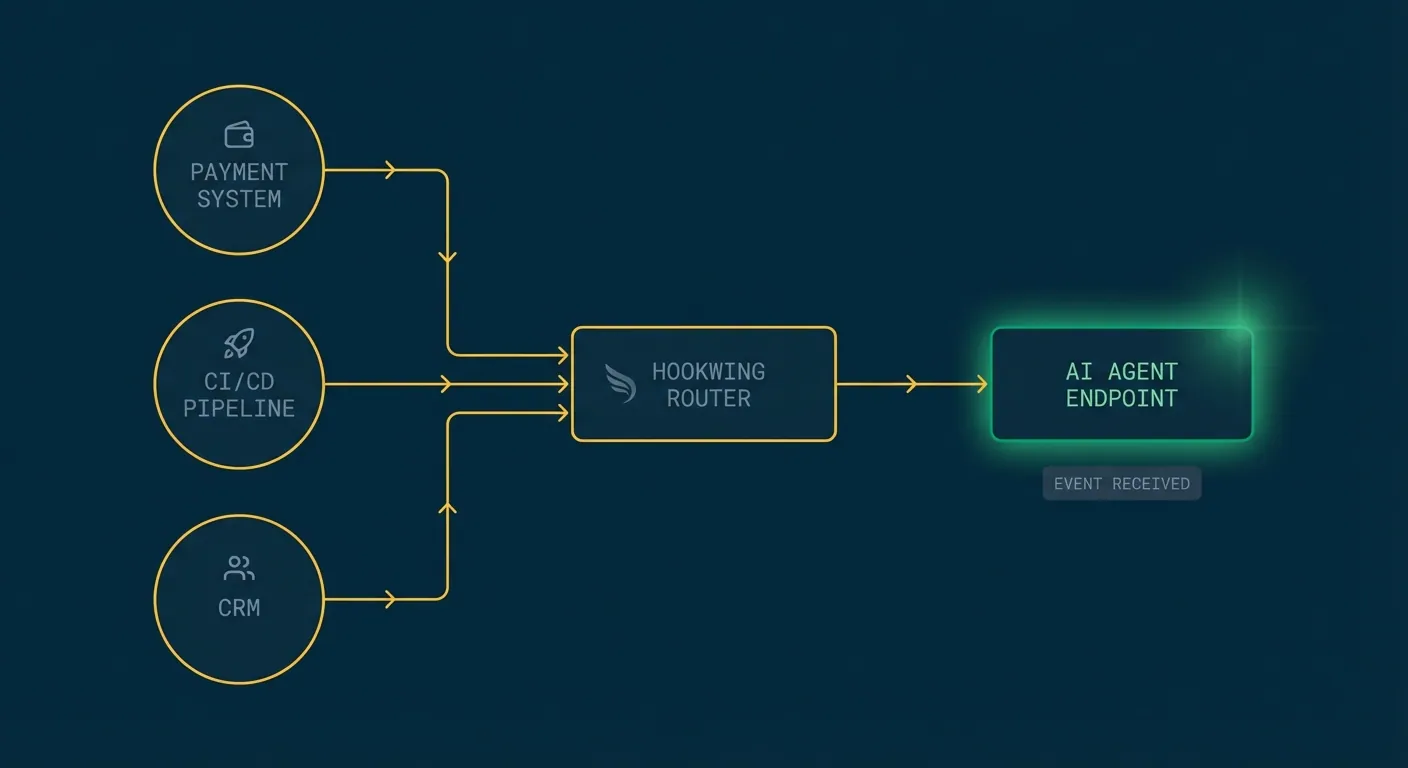
Most agent tutorials show you how to call APIs. That's the agent asking questions. But agents that react to the world (payment failed, PR merged, new lead in the CRM) need something different. They need an address the world can call.
A webhook endpoint is that address. When an event happens, Hookwing delivers the payload to your agent's URL. Your agent wakes up, reads the context, and acts. No polling, no human in the middle.
If you want the bigger picture on why agents need webhooks in the first place, this article covers the patterns. This one is just the setup.
---
1. Create an endpoint
One API call. You get a URL back.
curl -X POST https://api.hookwing.com/v1/endpoints \
  -H "Authorization: Bearer YOUR_API_KEY" \
  -H "Content-Type: application/json" \
  -d '{
    "url": "https://your-agent.example.com/webhooks",
    "description": "Main agent receiver",
    "events": ["payment.failed", "deployment.created"]
  }'
The response includes your endpoint ID and a signing secret. Store the signing secret. You need it in the next step.
No dashboard required. Agents can run this at boot to register themselves and DELETE the endpoint when they shut down.
---
2. Receive and verify payloads
Stand up a minimal HTTP receiver. Two rules: verify the signature, return 200 fast.
import hmac, hashlib, json
from fastapi import FastAPI, Request, BackgroundTasks, Response

app = FastAPI()
WEBHOOK_SECRET = "your-signing-secret"

@app.post("/webhooks")
async def receive(request: Request, background_tasks: BackgroundTasks):
    body = await request.body()

    # Verify the signature
    sig = request.headers.get("X-Hookwing-Signature", "")
    expected = hmac.new(WEBHOOK_SECRET.encode(), body, hashlib.sha256).hexdigest()
    if not hmac.compare_digest(expected, sig):
        return Response(status_code=401)

    payload = json.loads(body)
    background_tasks.add_task(handle_event, payload)
    return {"ok": True}
The signature check matters. Without it, anyone who knows your endpoint URL can trigger your agent. Five lines to close that hole.
The background_tasks pattern is also important. Webhook senders have short timeout windows. If your agent tries to do real work synchronously inside the handler, you'll start dropping events. Acknowledge first, process in the background.
---
3. Connect to your agent loop
Once you have the payload, route it to your agent logic.
async def handle_event(payload: dict):
    event_type = payload.get("type")

    if event_type == "payment.failed":
        customer_id = payload["data"]["object"]["customer"]
        await run_support_agent(customer_id, payload)

    elif event_type == "deployment.created":
        deploy_id = payload["data"]["object"]["id"]
        await run_smoke_test_agent(deploy_id)

async def run_support_agent(customer_id: str, context: dict):
    # Pass structured context to your LLM of choice
    ...
Keep the dispatch layer thin. Each handler routes a specific event type to the right agent function, passing the structured payload as context. The agent does the reasoning. The router just directs traffic.
---
4. Using OpenClaw
If you're already running on OpenClaw, you can skip the server setup entirely.
OpenClaw has native webhook support built into the gateway. Configure a webhook trigger and incoming events are routed directly to your agent session. No FastAPI server, no separate process to manage.
{
  "webhooks": {
    "enabled": true,
    "path": "/hooks/agent",
    "target": "main"
  }
}
When Hookwing POSTs to your OpenClaw gateway URL, the agent receives the event as context. You can handle it with skills, cron-style logic, or session-based processing depending on your setup.
This is the lowest-friction path if your agent already lives inside OpenClaw. The event arrives, the agent wakes up, the payload is already in context. No infrastructure to maintain.
---
5. Testing locally
Before you expose a public URL, test against a local server using Hookwing's tunnel:
hookwing listen --port 8000This creates a temporary public URL that forwards traffic to your local server. Real payloads, real signature headers. No separate tunneling tool required.
You can also replay past events from the Hookwing API if you want to test specific scenarios without waiting for them to happen in production.
---
That's the setup
One endpoint, one receiver, one routing function. From here you can add more event types, fan out to multiple handlers, or add a dead-letter queue for events that exhaust their retries. Hookwing surfaces delivery logs and retry metrics via API too, so your agent can monitor its own health.
Hookwing handles delivery, retries, and observability. Your agent stays focused on what it's supposed to do.
---
Build reliable webhooks with Hookwing
Hookwing helps you receive, route, retry, and monitor webhook events with clear delivery visibility and production-safe recovery workflows.
Start free. No 2FA, no CAPTCHA. Your agent can sign up too. Or jump straight to the getting started guide and API docs.